Getting Started Enhancing the #Sitecore Content Hub with External React Components

One of the things I like about the Content Hub is there is so many ways to customize it. Last year I wanted to be able to call an API and display data on assets. It was suggested to use React Components. It has been over a year of using them and doing some really cool things with them. I have presented what I learned at several meetups. With this blog I want to show how you can get started using them.

Why Use Them?

With all the customization you can do the with the content hub why would external components be needed? The answer is simple. So you can extend the functionality of the content hub and utilize external resources in doing so. The possibilities are endless as you can create some really cool things with React components. In this blog I will go over external component creation at a higher level. In future blogs I will showcase more detailed code.

Storybook

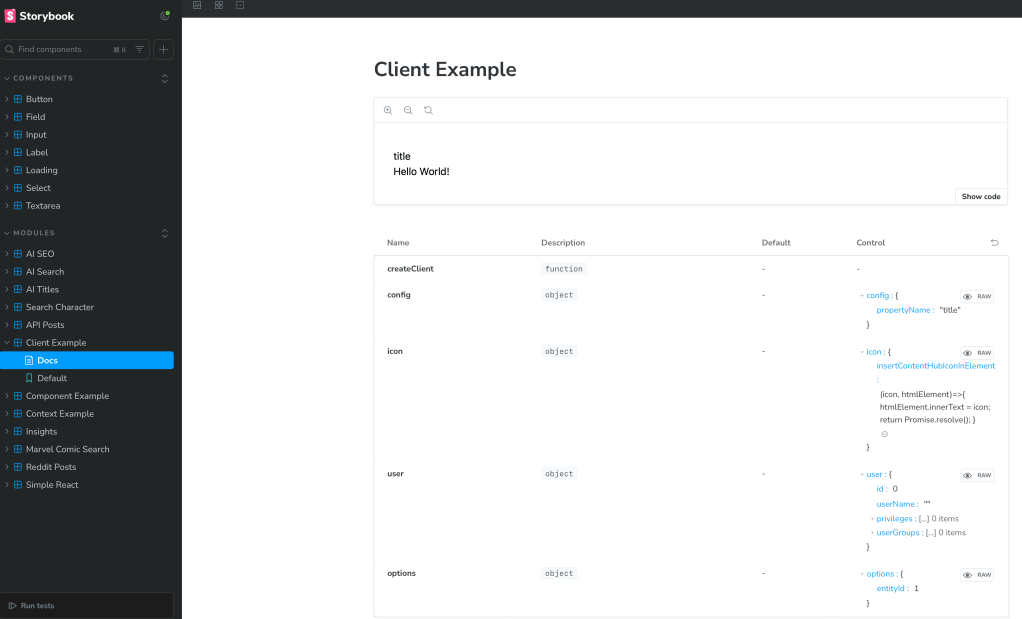
As I started the React components journey I learned how to implement and use Storybook. I believe this is a critical tool as it allows you test React components without actually integrating with the systems you are using them with. In the screenshot below you can see a list of components I used Storybook to test and what an example screenshot looks like.

Basic Structure

I will keep this simple and show you how a simple React component would work. Keep in mind this is part of a starter kit I used and had a lot of things setup already. I simply had to create the component. I will link to the starter kit in this blog post.

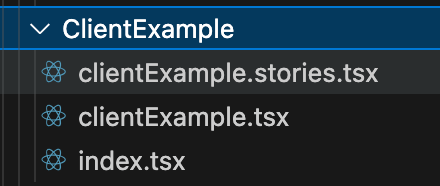
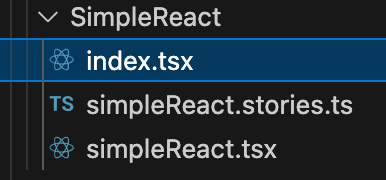
Let’s start with the structure. In this case we will have three different files.

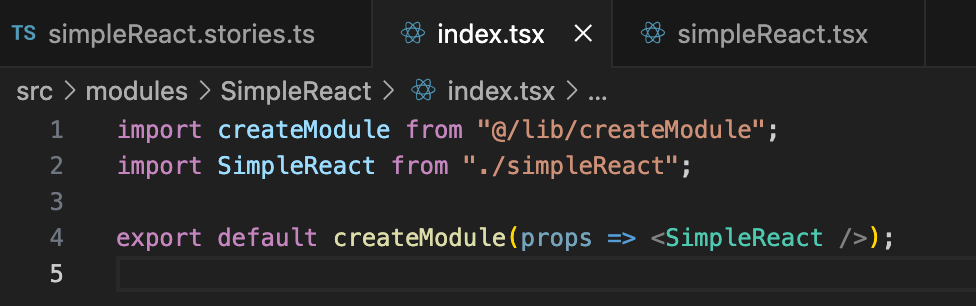
The index.tsx file is what brings this together. You will use this import libraries and call the tsx file which typically contains the output.

As you see below this tsx file simply exports HTML. You can do many things in this file such as call an API and import data. The data then can be used in an HTML document you return.

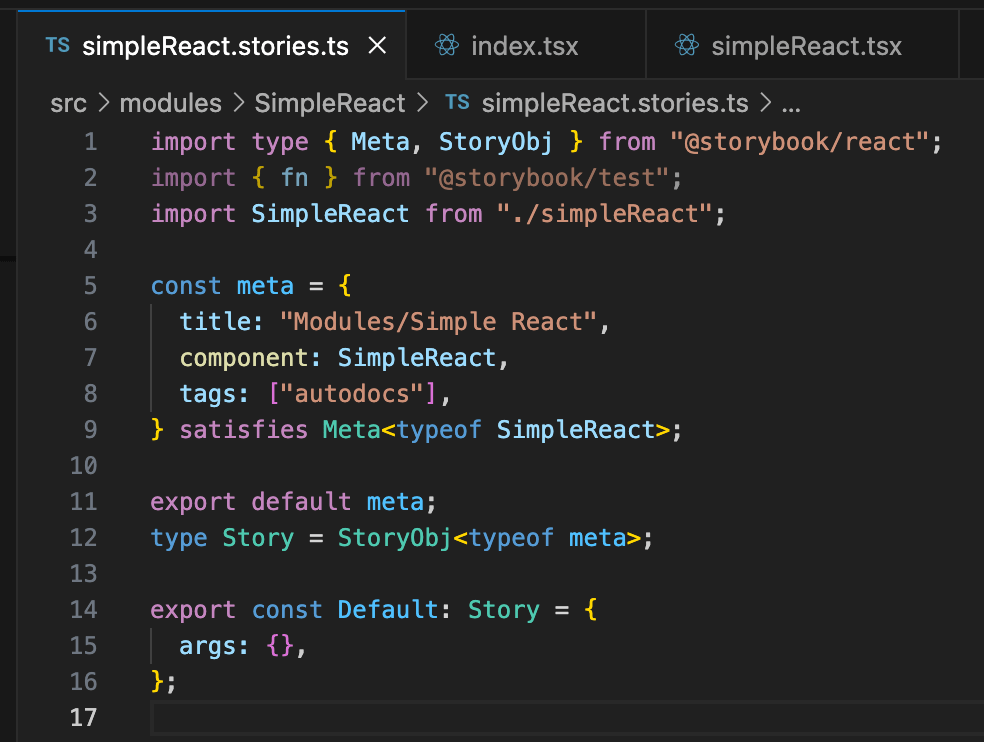
The stories.ts file is use to run with storybook. You can use it to not only call the react component, but you can pass parameters as well.

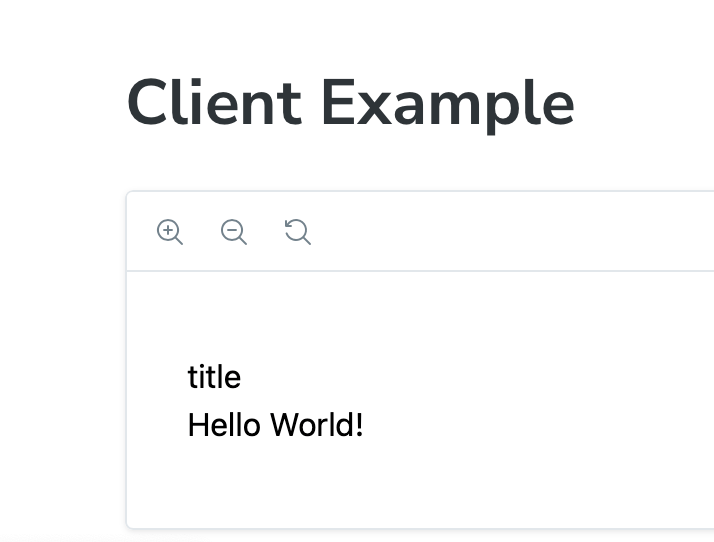
When this is run in Storybook you will see the following output.

In the links (Example Repositories and Starter Kits) section in this blog to get you started you can navigate to the documentation on how to create bundles. You will need these in order for the Content Hub to run your code. It is basically a compiled JS file with all of your code and libraries needed.

Hosting vs Uploading Bundle

In order for content hub to use your React component you will need to make a bundle. There are instructions in the starter kit to do this that I will link to in this blog. After you do create the bundle you can choose to upload it as an asset to content hub or host it in your own website.

For hosting the bundle you can have the content hub host it by uploading it as a portal asset. You can find the link to Portal assets under the settings.

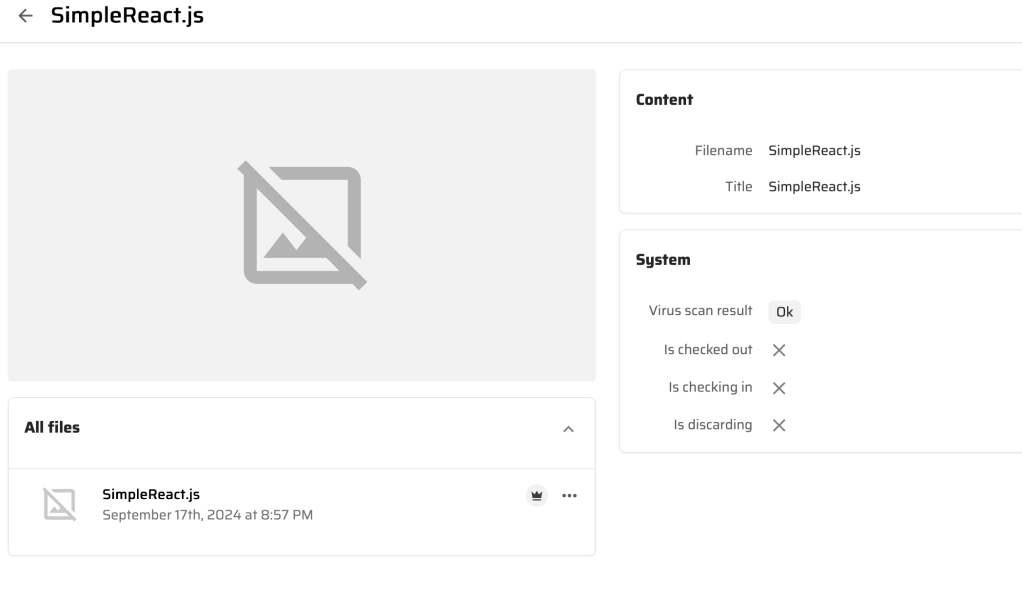
You can upload your bundle with different versions as needed.

Under pages I will usually add the bundle there.

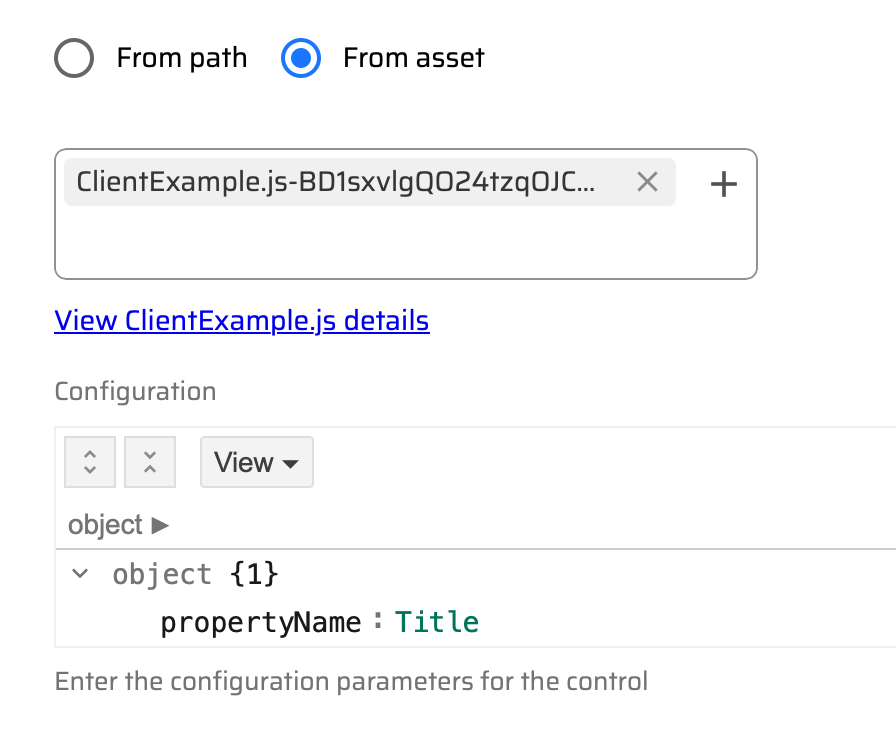
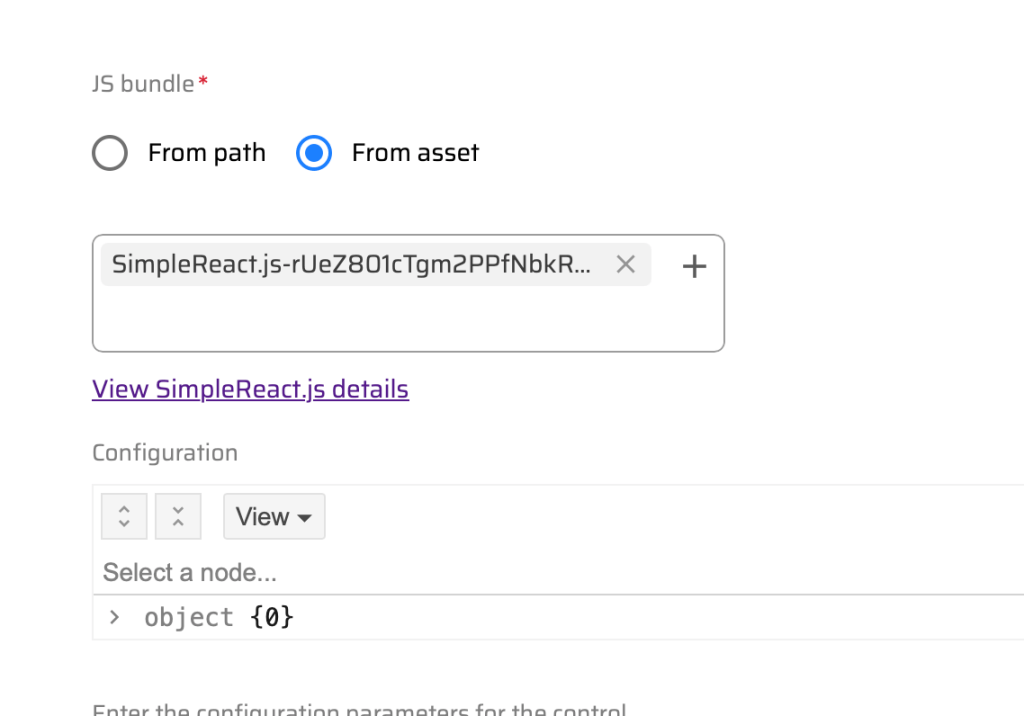
When clicking on an external component such as SimpleReact you will see the following.

From asset will allow you to link to the page assets in the content hub. Using the From path will allow you to link to a website hosted bundle.

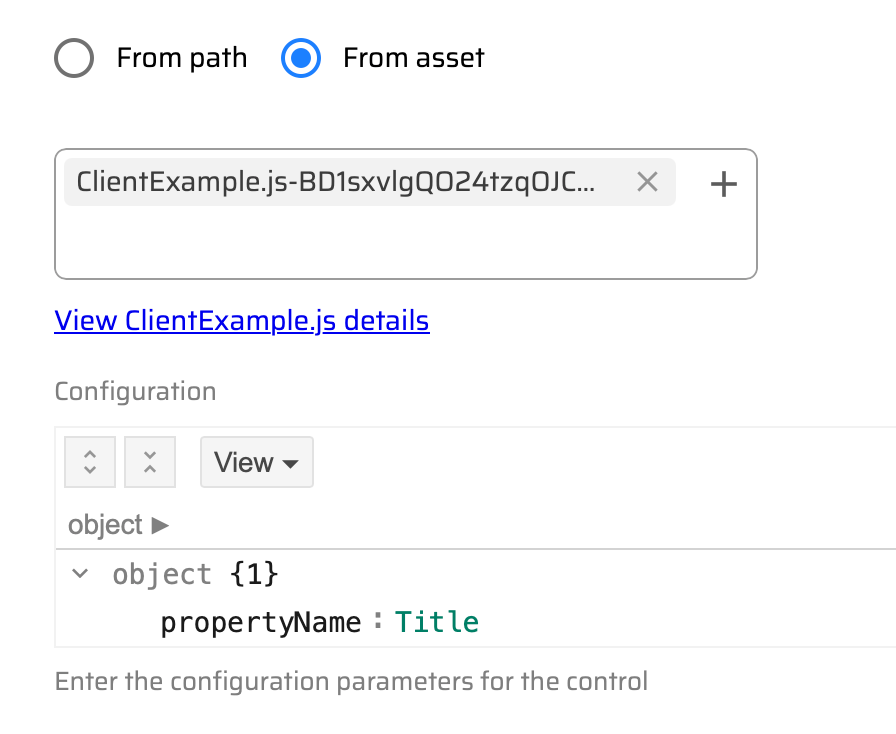
I will talk about this more in a future blog. In the object section you can pass properties from the content hub to your React component. This is very powerful as it allows you to interact with the asset.

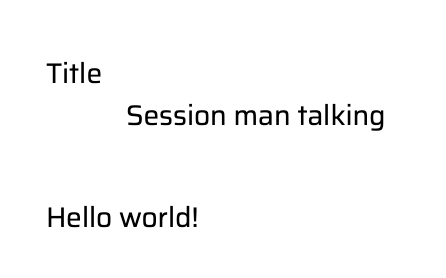
I will get into the more advanced external components later, but here are some simple ones on the asset pages rendering.

Example Repositories and Starter Kits

Below you will find different links to get started making your now React external components for the content hub. I will dive into more detail of some of the more complex ones I created in future blogs.

Here is a video of me presenting what is in this blog at the Columbus Sitecore user group.

Wrapping Up

This blog should help you get started. I will dive into more details in future blogs. Let me know in the meantime if you have any questions.

#Sitecore Symposium 2025 Day 3

I realize the Symposium is over and I am little behind. I need a little recovery time after the party at Universal so had to wait until I was home to do this one. It didn’t help the Wi-Fi was really bad at the hotel so not all my photos were synced yet across my Apple devices. I will have a Symposium recap with what is coming out in the near future. For now here is Day 3 in photos.

The presentation on .NET Core in DXP was a great surprise and looking forward it. Many clients are just not ready for SaaS.

Great presentation on customizing a Marketplace app with a traditional XM marketplace module.

Now for one of my favorite parts. The Hackerspace! This was so fun and I am excited to show my team.

Scored some cool swag.

Ended the day at Universal Studios.

There is probably something else I am forgetting, but I will remember later.

#Sitecore Symposium 2025 Day 2

Let’s just start with SitecoreAI. The announcement for SitecoreAI was a big one. Bringing all the products together is a great idea that I think will make things much easier for everyone. I can’t wait to see it in action. So here is day 2 in pictures with some captions.

Starting with big announcement.

I will admit I never heard of Savannah Bananas. Now I am a fan. One of the best presentations I have ever heard. I like what he said about “listening carefully and responding creatively”.

Learned that you can do ASP.NET Core for XM Cloud. Maybe a choice in the future.

Wellspan’s Journey with their Sitecore partner was really impressive. A great learning experience.

Random pictures.

#Sitecore Symposium 2025 Day 1

First day of the Sitecore Symposium. The MVP summit and partner connect took place. I attended the MVP summit and had a fun time as always. I am excited about the new announcements. I can’t tell you what the announcements are just yet. Believe me when I say you will be excited about what is to come when you hear them too. So here are some pictures from the first day.

Tamas has been a staple of the MVPs. He will be missed, but looking forward to seeing him in a future Symposium.
Who doesn’t love dessert?

It’s the Robs! Just getting started with the pics since there are so many Robs in the Sitecore community.

Seaworld did not disappoint.

I can’t wait for day 2.

#Sitecore Symposium 2025 – Highlights of what I am Excited About #sitecoresym

Always excited about this time of year, because the symposium brings a lot of new announcements and energy. As someone who has attended several symposiums, here is my list of what I am excited about.

  • To kick things off I plan on attending the general announcements.
    • Next is Now – Eric Stine the CEO of will be discussing the current state of the market. Hearing from the CEO always starts on a positive note.
    • CMO Michelle Boockoff-Bajdek will set the week of what to look ahead to.
  • AI – This of course it is hot topic and there will be many presentations to attend for it. My advice is find the one you are interested in, but also try something out of your comfort zone. Here are some of the ones I am looking at.
    • Sitecore’s AI roadmap: How agentic frameworks will transform digital experience – Mo Cherif
    • Unleashing AI innovation: the latest features in Sitecore Stream for Platform DXP – Marcus Heath and Ivan Brygar
    • How Sitecore’s AI features can supercharge the five stages of the content lifecycle –
      Robert McGovern
    • Zero-click killed the SEO star: Optimizing content for an AI-first audience with GEO – Brandon Bruno
  • Networking – Always good to see the people that you interact throughout the year in person. It is also an opportunity to make some new connections. I am excited to get to attend the parks with the MVP and Sitecore community.
  • Looking at the agenda, I like to attend non-technical presentations that I feel are beneficial to RBA and our clients. Here are some of the presentations I plan on attending.
    • Designing inclusive experiences for everyone: Build a better journey map on Sitecore -Kelsey Lindell and Megan Mueller Jensen
    • Creating the copilots your marketing will actually thank you for – Vasiliy Fomichev and Martin Miles.
  • New knowledge for developers. – As a developer we never stop learning. I am excited to attend presentations that will help me grow as a developer. Using the knowledge I gain I can show to my colleagues and bring new ideas to my clients. Here are just some of the technical presentations I am looking forward to.
    • Ready, set, launch: Running ASP.NET Core XM Cloud sites in production – Rob Earlam
    • Cutting Sitecore development time by up to 80% with AI – Rajitha Khandavalli and Kevin Suarez
    • Rethinking data modeling in the new content platform – Andrew Liu and Liz Nelson
    • Migrating an XM/XP module to XM Cloud Marketplace – Erica Stockwell-Alpert
    • You’ve been asking, and we’ve been listening: .NET is coming to platform XM/XP – Vignesh Vishwanath and Maxim Sidorenko
  • Sitecore Run – Okay I needed to put this one out there as I hope to run with others. I love running and Sitecore maybe equally so I love it when the worlds collide.
  • The meeting of the Robs. So we have a ton of Robs in the Sitecore world. I hope we can take a photo together. So if you are a Rob and are reading this let’s plan a date time.

#Sitecore Content Hub – Detecting AI Generated Images

The content hub recently got a new update to detect AI generated content. When uploading or updating an asset C2PA metadata will be detected. You can find more information on that here.

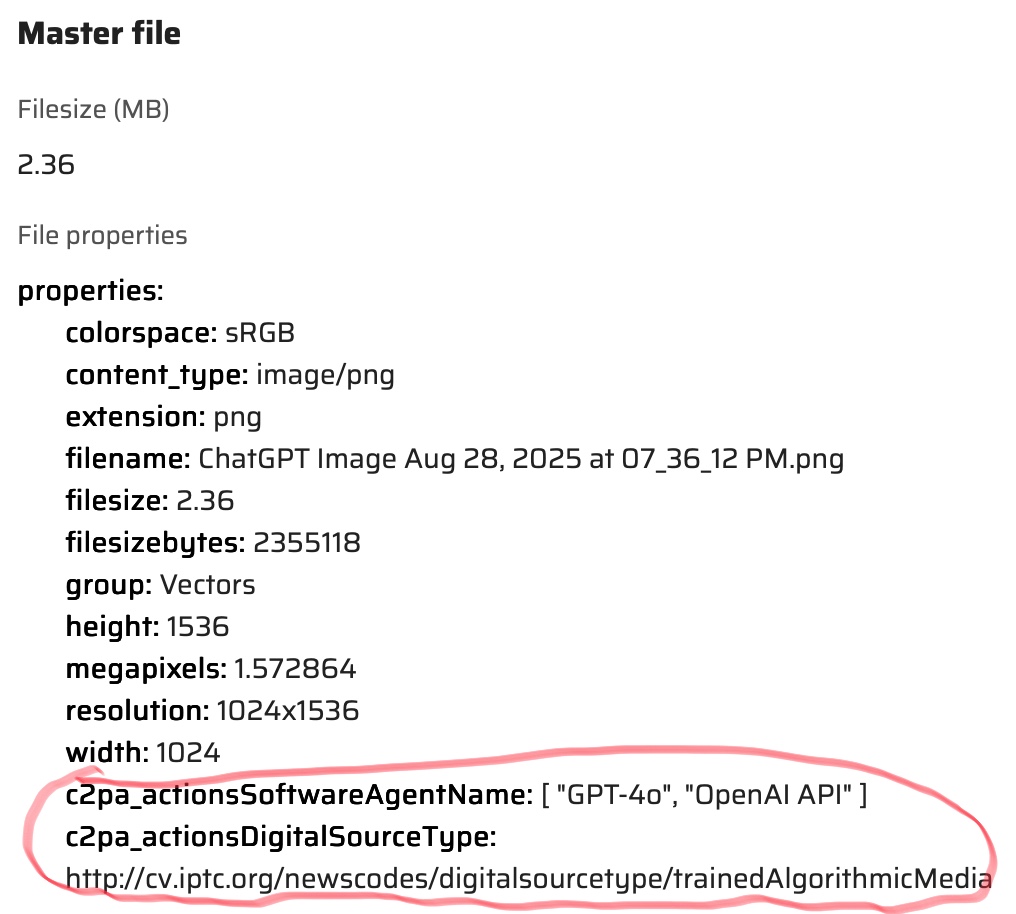
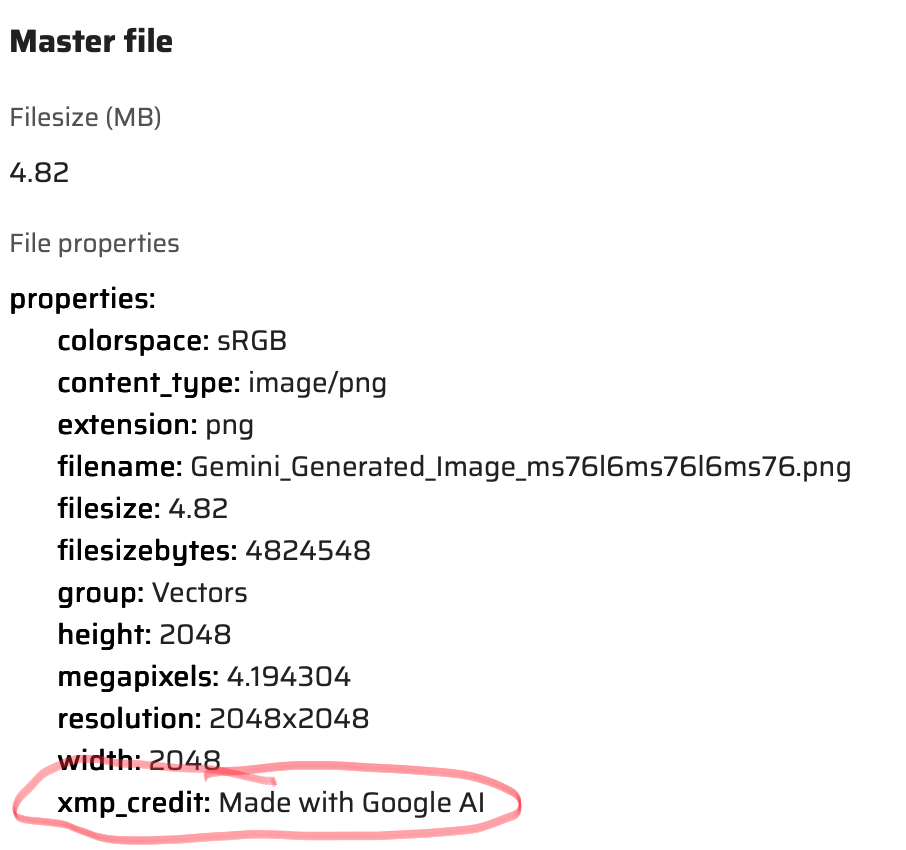
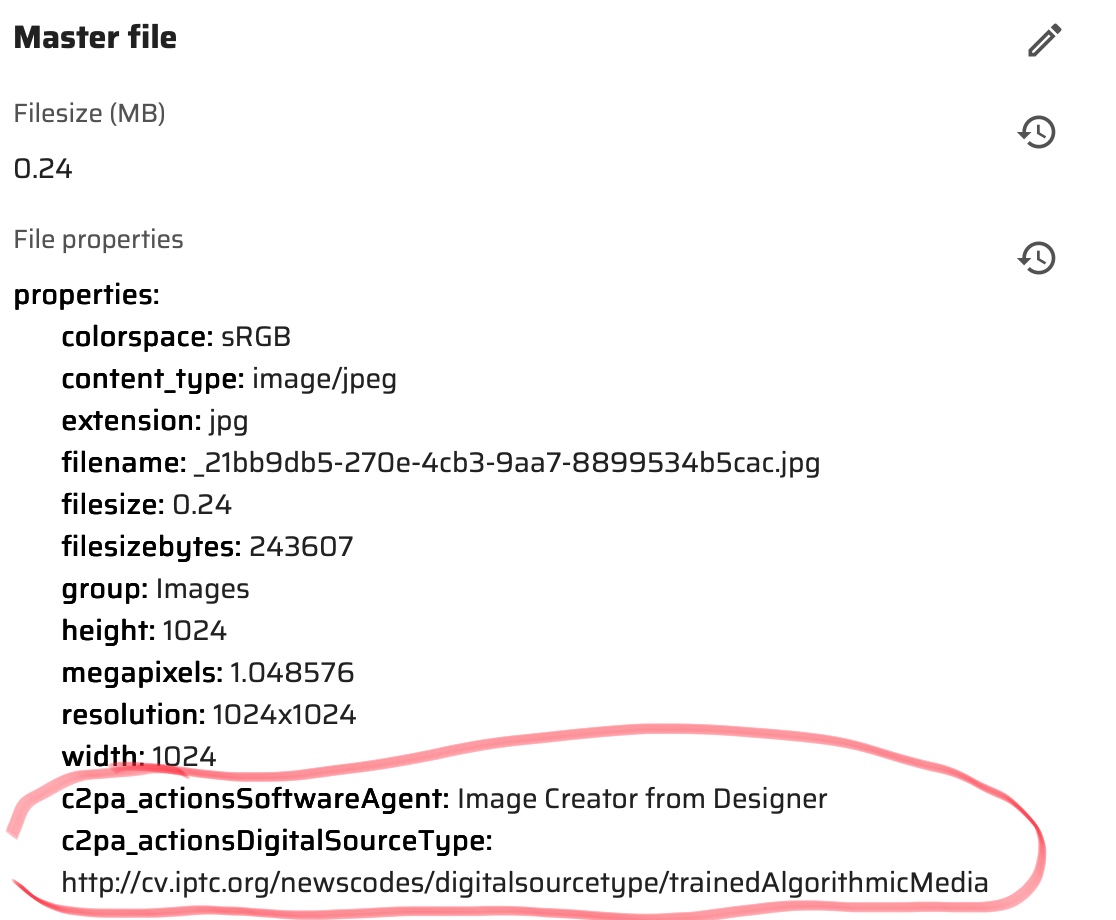
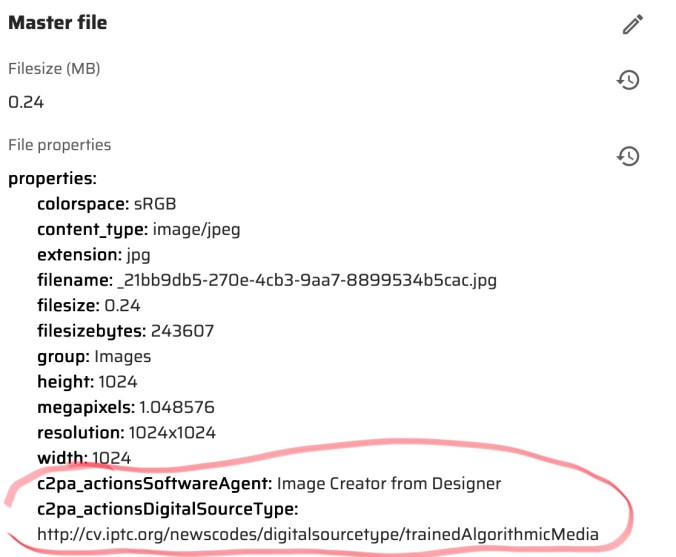
I wanted to test this feature out so going to start with simple AI created images. I used three different AI image generators. ChatGP, Google Gemini and Bing Image Creator. I asked them to “create me an image of a blue dodge challenger jumping over the Willis tower.” In the chart below you will see the image that was created. Below the image is the new Content Hub properties that were generated for each image. You will notice the additional tags highlighted. For some reason didn’t see the same fields in Gemini although I did see the credit line for Google AI.

ChatGPTGoogle GeminiBing Image Creator
Challenger Jumping Over Willis TowerChallenger Jumping over the Willis TowerChallenger Jumping Over the Willis Tower

As you see above new fields are at the end of the properties section.

One of the things I enabled was the Gen AI section on the asset detail. This was enabled from the Tabs/System section of the Asset Details.

The section will show something like the following for the AI generated image on an Asset.

In my opinion by identifying AI images you can make the choice to use them or not. Some companies have polices restricting the use of them. You can find more on this new Content Hub feature here.

Feeling like a Kid in a Candy Store with #Sitecore Stream for 10.4 DXP

One of the things announce during Symposium that Sitecore Stream would be available for all platforms. I got to first use it in the Content Hub, but I was finally able to try it on DXP. I found it is available on the demo portal so I quickly deployed a new site. So here is the features I found and some fun tests I was able to do.

Single Line Text

All fields will work similar so I will start with a Single Line Text. In an AI enabled component you will see Sitecore Stream symbol. Clicking on it will bring up an AI enabled search.

The following will appear. I am going to ask “Can you make a title about something supernatural?”. Then click the Generate button. This is what we get.

If I select a Brand and generate again this is what I get.

Now I am going to use the Variants to generate option and choose number 3 to use.

Now we have a title to work with to make things really pop.

Rich Text Editor

The RTE field works exactly the same way as Single Line Text field, but will give a longer text version.

Let’s test this a little more though. I am going to have it create a bulleted list with and image of something supernatural. Now I am really impressed.

How about if we ask for something in a different language? Sitecore Stream can do that too.

Experience Editor

Works in Experience Editor too in case you were wondering.

Configuration

I didn’t have authorization because this is a demo site, but in the Desktop there is a Stream section added that you can configure Sitecore Stream.

Future enhancements?

This is a great start and hope things continue to be added. One thing I liked to see is an image generator for customers not in the Content Hub.

#Sitecore Chicagoland Meetup – Shure was a Great Time!

Just finished up the Sitecore Chicagoland Meetup and what a great time it was. Many attended and it was one of the best turnouts I have seen in any meetup. Lots of partners and clients attended.

The meetup started with a tour of Shure Incorporated. I don’t know too much about mics and broadcasting. However I learned quite a lot of the history of Shure and I got to see some really cool things. Maybe I should replace my Yeti microphone?

The first speaker was Craig Burkhart from Ecolab. I always like to hear Craig speak. He has a lot to share about his recent and current journey with personalization and using AI. They are using a great tech stack including the Content Hub (one of my favorites). Some of the highlights:

  • Personalized content based on visitor’s profile.
  • Creation of language specific content and measuring how well it is interpreted.
  • Breaking out the way their content is created and delivered.

Next up was Luke Pace from Perficient. He did a great presentation on using Headless, Next.js and Vercel for XM Cloud.It was great to hear the challenges and obstacles he was able to overcome and deliver a great product. Highlights include the following:

  • Optimizing and trimming your deliverables.
  • Creating efficient links with next/link.
  • Enabling and using Vercel Fluid Complete.

What a great time and can’t wait for the next one. The combined effort of Chicago based partners has really made a difference.

#Sitecore Back to Basics : Unlock Time Savings Using Raw Values.

Shortcuts = time savers. Sometimes the easy way is just as efficient as the hard way. Raw values are not just something that is checked in the content editor menu ribbon by accident. Utilizing them can save valuable time and also help you fix things that are not so easy to fix. I will take you through some examples when I have used them.

Turning on Raw Values

First though let’s turn them on. You can find them on the top ribbon under View. Just check Raw values. Keep in mind if you don’t want to see them, just uncheck them to go back to normal. There is always a case when someone forgets to uncheck them or accidentally checks them.

Rich Text

This is one is pretty straightforward. I have come across issues with an RTE field having HTML that just does not want to display right. Even when you select Edit HTML it still doesn’t work. With raw values turned on you can see what exactly is in that field and edit it. Especially handy for the expert front-end developers.

Not Raw:
Raw:

Multilists

Multilists visually look like a simple selection. Sometimes though you want the same values in a similar item and don’t feel like clicking the same selections. Or you are searching for a template that is inherited and you don’t feel like clicking through the tree. Raw values to the rescue.

Typical Multilist – Not Raw:
Raw:

As you can see above the values that are selected show as a GUID separated with a Pipe | symbol. If you want to have the same values in another item, just copy the values. Then, paste them into the same field in the other item. Or copy the GUID you want. Add a | and the GUID to the item field you are copying to. This also comes in handy for template inheritance. It is often easier to use the template GUID being inherited to search and find it.

Presentation Layer

This is one of my favorite ways to use raw values. This has saved time many times. Using raw values in presentation layers can fix some of the following issues by copying, pasting, removing values.

  • Different layout between language versions.
  • Accidentally removed rendering.
  • Remove rendering that has been deleted based on GUID.
Not Raw:
Raw:

PowerShell

Now you have an idea of how values are stored in Sitecore. When writing PowerShell scripts basically updating something can be simple as setting the GUID list.

$_.Editing.BeginEdit()
$_.Fields["SpeakerList"].Value = "{0D17BE5B-EC2A-4296-8D3F-930EB60DFE7C}|{1930BBEB-7805-471A-A3BE-4858AC7CF696}|{6DB09CEF-64A8-52A3-A980-38408109C4D7}|{47151711-26CA-434E-8132-D3E0B7D26683}|{6650FB34-7EA1-4245-A919-5CC0F002A6D7}";
$_.Editing.EndEdit()

Your Turn

So how do you use Raw Values? I know there is more uses for them.

#Sitecore Content Hub Variants – The AI Translator is Here

Recently an update came out for creating Content Hub Variants. With this new change you can take an original content piece and create a variant of it in a different language. The process automatically translates the text for you. This update is a big deal to me. Especially with multi-lingual sites I work on. Sometimes, I need translated text for a placeholder. No more Google Translate cut and paste. I am sure this will save a lot of time for content authors.

Create a variant is pretty straightforward. First step is to go the Content menu and do a search.

I will do a search for Running.

Select and open one of the content pieces. Then navigate to the more action menu (three dots) on the upper right hand of the screen. Then choose Localize.

The following window will pop up. Choose a Name for the Variant, a Locale and Check Translate with AI. Then click the Create Button.

A new version will be created translated with the Locale you chose. On the top of the screen you will see the word Variant. Look at all that translated text.

After variant(s) are created you can easily navigate to the original and other variants. Select the More Actions (three dots) and then choose Variants.

The next screen will appear. You can the select a version to navigate to.

I really love this feature and I hope we see similar feature soon throughout Sitecore’s various products.