I think I lost track of how many hackathons I have participated in. Each one is different win or lose. This year’s was no exception. Although I was doing this solo I had AI helping me when needed for the first time. It was great to get the additional help. No AI is not replacing developers. However as developers though we need to embrace it as an another tool.
The following were this year’s categories.
1. Best Marketplace App for Sitecore AI – Build something publishable. Not just a demo.
2. Applied AI Within the Sitecore Execution Pipeline – Demonstrate how AI can be embedded within Sitecore execution flows to improve quality, governance, personalization, or performance.
3. Best Tool Supporting Sitecore Development (Not Built on Sitecore)
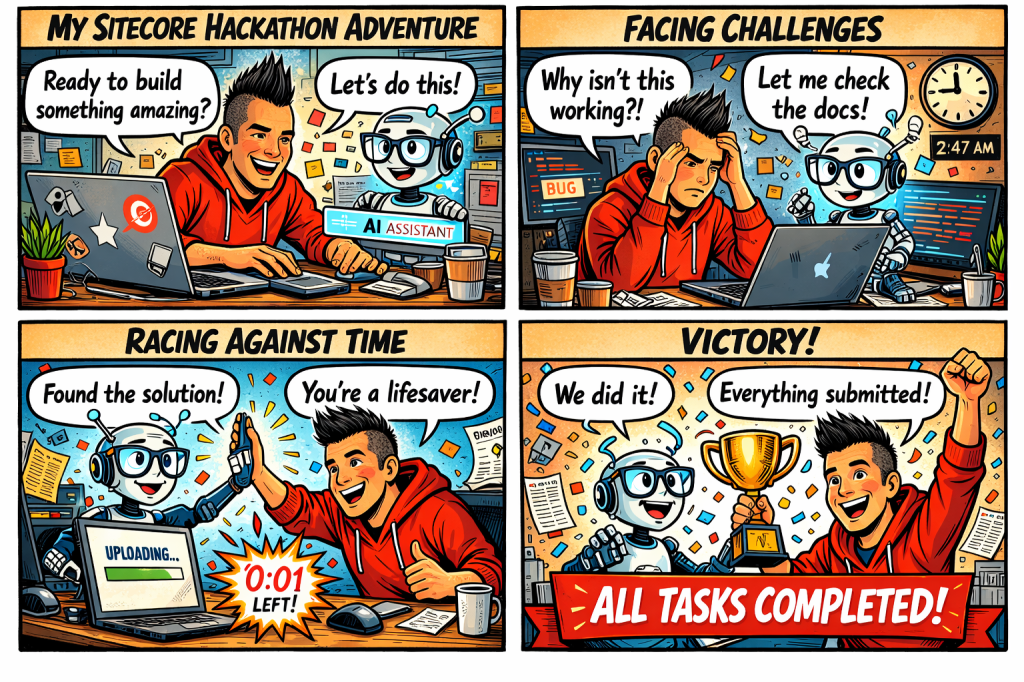
I chose 1. Because for quite a while I had an idea of a great marketplace app. It would be similar to something I did in the content hub, but with the flexibility of a marketplace app I could do more. To premise this I think it is important for SEO considerations for websites, but more importantly is accessibility. I recently did training for accessibility. It was very eye opening and I learned a lot of things I did not consider before. So my goal was to make something useful for strategists, marketers and content editors. Here is kind of how it went. Comic strip created by AI.
Hour by Hour
Here is a good breakdown of the hours spent. I think I am finally caught up with sleep although daylight savings time did not help.
1-4 Make sure access rights is working in the repository and get the marketplace starter kit. Merge the code needed into my repository.
5-8 Got things working, but not sure if it is good enough. I think the SEO suggestions should also include accessibility checking and suggestions.
9-10 Worked with AI to help me structure my code better. While doing this it knew what I was doing somehow and offered me suggestions to add the app to help with what I wanted to accomplish.
11-14 Looking good and got things working. I really like how it turned out.
15-24 Off and on getting documentation right and making sure I didn’t miss anything. Made a few last minute changes to the documentation and code.
What I Discovered
- No matter the plan and the idea you have there is always something you will encounter that might derail them. I have used OpenAI before in React components, but not in a marketplace app. I had to learn how to incorporate it so it would work within the marketplace. It also had to be much cleaner. No POC, it needed to work.
- Ok got things working, but let’s face it you need something that stands out. I wrote down all the stuff I wanted to add. Being solo has its drawbacks because you don’t have a human to bounce ideas off of. So I decided to use AI to bounce some questions off of. It was like having a virtual partner. I wasn’t so lonely anymore. 🙂
- Structuring your code is important. I am coming from an MVC background so there is some differences in my opinion on how you should structure the code. Similar to going from one car to another. They are both cars, but two different cars.
- AI can help you document and format your code. This is definitely something that helps make sure things are clean and documented. Always double check comments are correct though.
- The single most important thing is know your audience. Not every app is for you. I had to think how someone who would be using this would want to use this. It needed to be helpful and really add some value.
The Big Reveal
So here is the big reveal. Screenshot and video below. I chose to do a panel app that appears in the page editor. Using AI SEO suggestions were generated along with accessibility issues.
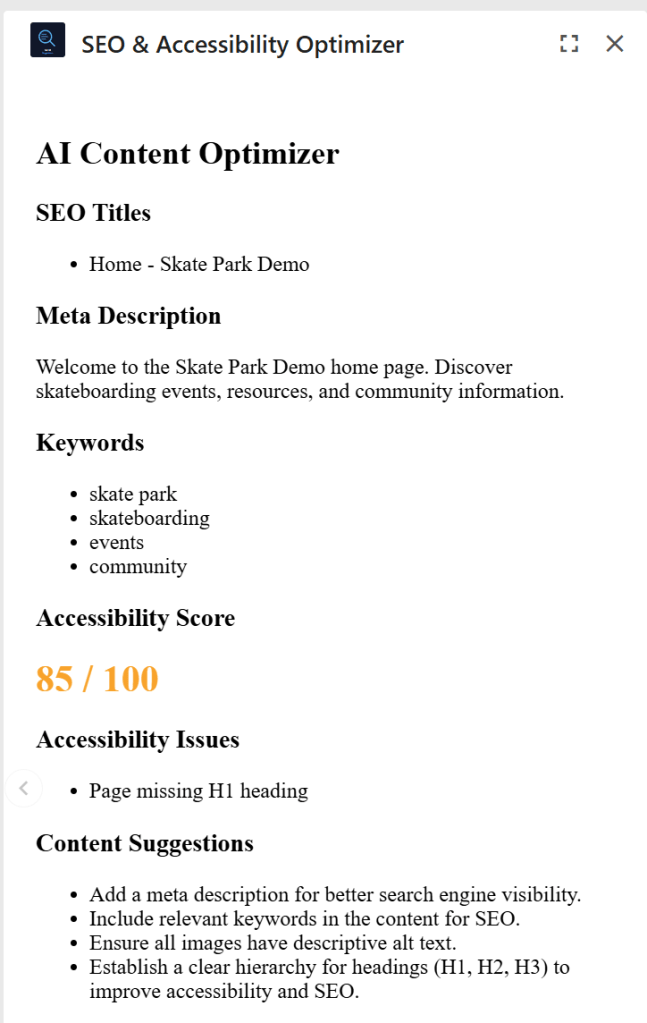
So it was a great relief getting something handed in on time. I don’t know what the results will be, but I feel like lessons learned is the most important win you can have. I got know something I plan to use more in the future. AI is here. A great tool when you need help.


 Sitecore Runner | Rob Reilley | Sitecore MVP