Essential Tools for the Modern #Sitecore Developer in an AI-Driven World

Several years ago I posted about essential tools for every Sitecore developer. A lot of things have changed since then. You can find that blog here if you want to go down memory lane. Fast forward to the current world of AI. A lot has changed since then, but not just because of AI. As it is inevitable, languages have changed and the way we code has. Here is my list of what I like to use in the current year. Let me know what you would add.

Visual Studio Code

VS Code has taken over a lot of functionality that we used to use with Visual Studio. With React components I have not gone back to using Visual Studio unless it is for MVC. Not only does VS Code work well with development environments it works well with opening text files that I used notes for in the past. It also works well on MacOS and seems to have no limitations.

Microsoft Copilot

If you needed a virtual developer that was a parrot on your shoulder this would be it. Using AI you get so many more features now in your development environment. Inlined code previews and contextual recommendations just to name a few. I believe Cursor has become popular, but I haven’t used that as much yet.

Your Preferred AI

ChatGPT, Claude, Gemini etc… are all battling it out. It is good to have some options to run things by. You will be surprised the different answers you get.

Sitecore Starter Kit

Every great project has to start somewhere. I always suggest starting with the starter kit. It not only benefits your architecture, but if you have any support tickets with Sitecore it will be easier for them to troubleshoot. You can find XM Cloud/SitecoreAI starter kit here.

Storybook

You don’t always have access to test something real time and/or you just want to see if things in theory will work. With Storybook as part of your React solution you can test your components before they are used anywhere else. A good example is if you don’t have access to the Content Hub at the moment and you just need to test if something will work. You can simulate the data and see the expected results.

Sitecore Serialization

Unicorn and TDS were both essential products for classic Sitecore sites. However Sitecore Serialization is the way to go for the smoothest transition to serialize your Sitecore items. It works well and easy to setup.

PowerShell

I can’t count the number of times I needed to use PowerShell. You can use it for so many things. From fixing data, to uploading a big set of images and creating reports. You can use AI to help you write scripts. Of course they should be tested with a small set of data. You can find more about it here.

Accessibility Checker

Having an accessible site is important. There are a lot of tools to use. One of the more popular ones is Siteimprove. Anyone should be able to browse a website no matter their special abilities.

AstroGrep

I may not use this as much as I did in the MVC world, but as your solution grows and serialized items this tool will come in handy still. Searching inside files is key when you need to find that hard to find bug issue. You can find it here.

Sitecore Icon Search

Always use this tool to find the correct icon for the right Sitecore item. You can find it here.

Sitecore Community

Saving the best tool for last. I dare you to find a better community that helps each other out. Here is a list of Sitecore community sites to join.

  • Join the Sitecore Slack community. You can find it here.
  • Sitecore Reddit channel has all the latest blogs and news. Find it here.
  • Follow and like Sitecore on LinkedIn. Find it here.
  • Find a local Sitecore meetup group. They also have online ones as well.

Wrapping Up

This list will keep changing, but one thing is for certain. AI is a great tool for developers, but will not replace them. You need to make sure code is clean, scalable, secure and ready for production. Code reviews and thorough developers are needed more than ever. So what tools do you use?
#Sitecore Hackathon 2026 : 24 Hours of Adventures

I think I lost track of how many hackathons I have participated in. Each one is different win or lose. This year’s was no exception. Although I was doing this solo I had AI helping me when needed for the first time. It was great to get the additional help. No AI is not replacing developers. However as developers though we need to embrace it as an another tool.

The following were this year’s categories.

1. Best Marketplace App for Sitecore AI – Build something publishable. Not just a demo.

2. Applied AI Within the Sitecore Execution Pipeline – Demonstrate how AI can be embedded within Sitecore execution flows to improve quality, governance, personalization, or performance.

3. Best Tool Supporting Sitecore Development (Not Built on Sitecore)

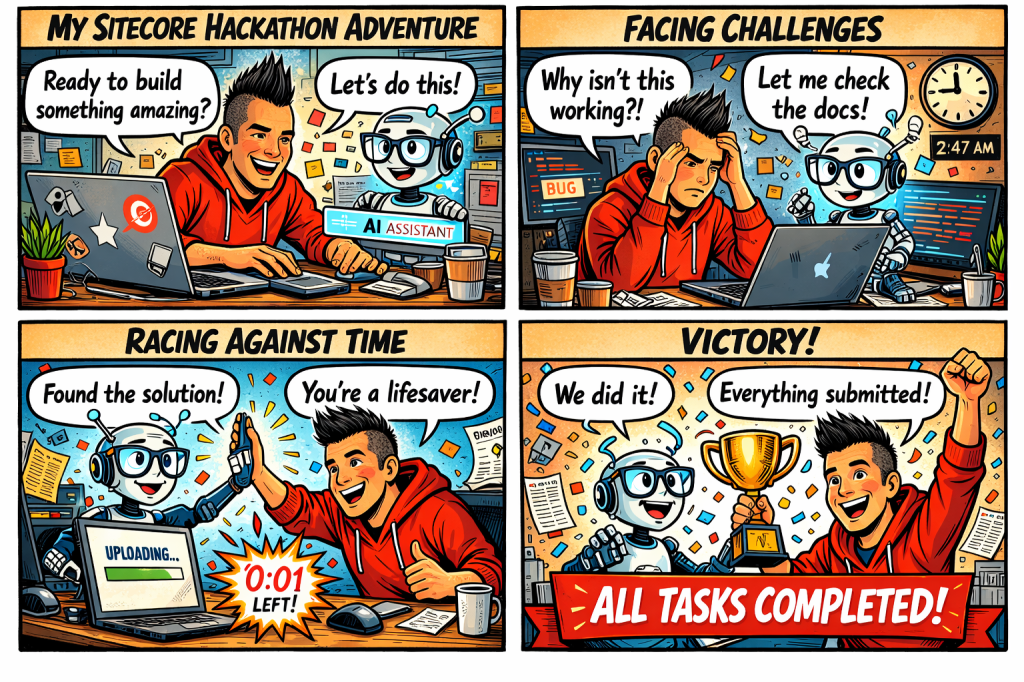
I chose 1. Because for quite a while I had an idea of a great marketplace app. It would be similar to something I did in the content hub, but with the flexibility of a marketplace app I could do more. To premise this I think it is important for SEO considerations for websites, but more importantly is accessibility. I recently did training for accessibility. It was very eye opening and I learned a lot of things I did not consider before. So my goal was to make something useful for strategists, marketers and content editors. Here is kind of how it went. Comic strip created by AI.

Hour by Hour

Here is a good breakdown of the hours spent. I think I am finally caught up with sleep although daylight savings time did not help.

1-4 Make sure access rights is working in the repository and get the marketplace starter kit. Merge the code needed into my repository.

5-8 Got things working, but not sure if it is good enough. I think the SEO suggestions should also include accessibility checking and suggestions.

9-10 Worked with AI to help me structure my code better. While doing this it knew what I was doing somehow and offered me suggestions to add the app to help with what I wanted to accomplish.

11-14 Looking good and got things working. I really like how it turned out.

15-24 Off and on getting documentation right and making sure I didn’t miss anything. Made a few last minute changes to the documentation and code.

What I Discovered

  • No matter the plan and the idea you have there is always something you will encounter that might derail them. I have used OpenAI before in React components, but not in a marketplace app. I had to learn how to incorporate it so it would work within the marketplace. It also had to be much cleaner. No POC, it needed to work.
  • Ok got things working, but let’s face it you need something that stands out. I wrote down all the stuff I wanted to add. Being solo has its drawbacks because you don’t have a human to bounce ideas off of. So I decided to use AI to bounce some questions off of. It was like having a virtual partner. I wasn’t so lonely anymore. 🙂
  • Structuring your code is important. I am coming from an MVC background so there is some differences in my opinion on how you should structure the code. Similar to going from one car to another. They are both cars, but two different cars.
  • AI can help you document and format your code. This is definitely something that helps make sure things are clean and documented. Always double check comments are correct though.
  • The single most important thing is know your audience. Not every app is for you. I had to think how someone who would be using this would want to use this. It needed to be helpful and really add some value.

The Big Reveal

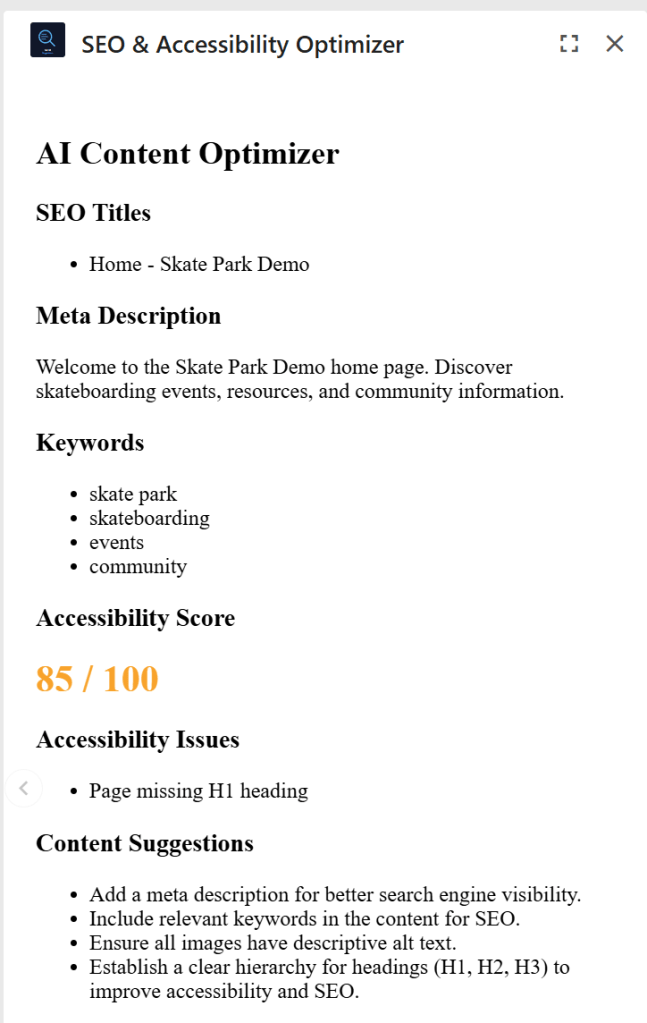
So here is the big reveal. Screenshot and video below. I chose to do a panel app that appears in the page editor. Using AI SEO suggestions were generated along with accessibility issues.

So it was a great relief getting something handed in on time. I don’t know what the results will be, but I feel like lessons learned is the most important win you can have. I got know something I plan to use more in the future. AI is here. A great tool when you need help.

Feeling like a Kid in a Candy Store with #Sitecore Stream for 10.4 DXP

One of the things announce during Symposium that Sitecore Stream would be available for all platforms. I got to first use it in the Content Hub, but I was finally able to try it on DXP. I found it is available on the demo portal so I quickly deployed a new site. So here is the features I found and some fun tests I was able to do.

Single Line Text

All fields will work similar so I will start with a Single Line Text. In an AI enabled component you will see Sitecore Stream symbol. Clicking on it will bring up an AI enabled search.

The following will appear. I am going to ask “Can you make a title about something supernatural?”. Then click the Generate button. This is what we get.

If I select a Brand and generate again this is what I get.

Now I am going to use the Variants to generate option and choose number 3 to use.

Now we have a title to work with to make things really pop.

Rich Text Editor

The RTE field works exactly the same way as Single Line Text field, but will give a longer text version.

Let’s test this a little more though. I am going to have it create a bulleted list with and image of something supernatural. Now I am really impressed.

How about if we ask for something in a different language? Sitecore Stream can do that too.

Experience Editor

Works in Experience Editor too in case you were wondering.

Configuration

I didn’t have authorization because this is a demo site, but in the Desktop there is a Stream section added that you can configure Sitecore Stream.

Future enhancements?

This is a great start and hope things continue to be added. One thing I liked to see is an image generator for customers not in the Content Hub.